











The mobile application from Wasafi Bet gives Tanzanian players access to sports betting, live matches, casino games, and account management from a phone. Android users can install the app, while iPhone users can use the mobile website. Both options support everyday tasks such as checking markets, placing a wager, reviewing account activity, and managing settings without a desktop computer.
This guide explains how to download and install the Android APK, use the mobile site on iPhone, update the software, and resolve common problems. Use official sources for every download and update to reduce the risk of altered files and protect your account.
The app may not be available through Google Play because gambling-app policies vary by region. On Android, the installation file is provided through the official website instead. Downloading directly requires a few extra device settings, so it is worth checking each permission before continuing.
About the Wasafi Bet Mobile App
The application supports Android devices running version 5.0 or later. It presents markets, odds, casino games, and account tools in a layout designed for touch screens. Menus are arranged for quick access to live events, popular sports, and the bet slip.
Sports coverage includes football, basketball, tennis, and other events with pre-match and in-play markets. Within the account area, players can review settled and pending bets, manage payment requests, and adjust notification preferences. Check available options and limits in the app before confirming any transaction.
How to Download the Official Wasafi Bet App
Open the official Wasafi Bet website in your Android browser and find the mobile app download option. Start the download only when you have a stable connection, then wait for the file to finish before opening it. An incomplete download can prevent installation.
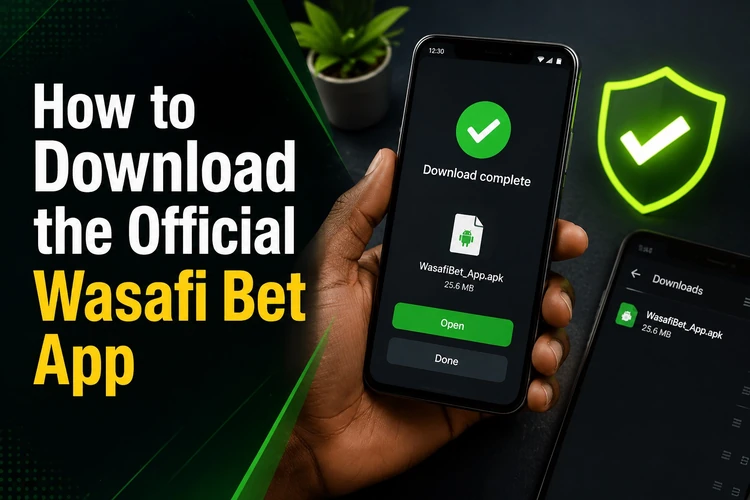
After downloading, find the file in Downloads or in the folder selected by your browser. Do not rely on an expected file size alone, as it can change between releases. If the download pauses or the file cannot be opened, delete it and begin again rather than attempting to install a partial copy.
Use only the platform's official domain. Files from third-party pages can be modified or outdated, which may expose your device or account to unnecessary risk.
Installing on Android
Android blocks applications from unknown sources by default. To install the APK, open Settings, then Security or Privacy, and allow installation from the browser or file manager used for the download. On newer Android versions, this permission is assigned to a specific app rather than enabled for the whole device.
Next, open the downloaded file and review the installation prompt. Confirm the installation only if the file came from the official source. Once complete, open the app from the confirmation screen or your app drawer. The first launch can take longer while files are prepared.
If you already have an account, log in with your existing credentials. New users should enter accurate registration details and keep their phone number available for any verification steps. After installation, consider turning off the unknown-source permission for the browser if it is no longer needed.
Using Wasafi Bet on iPhone
No native iOS app is available for iPhone or iPad. Use the mobile website through Safari or another supported browser. The layout adjusts to the screen and provides access to betting, casino content, account settings, deposits, and withdrawals through the browser.
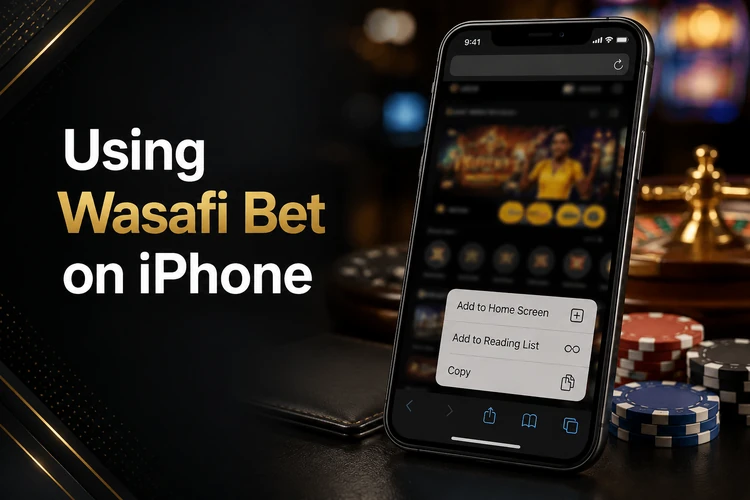
For quicker access, open the site in Safari, tap Share, and choose Add to Home Screen. The shortcut opens the site directly from your home screen. Allowing cookies and site data can help keep a valid session active, but avoid saving passwords on a shared device.
Key Features
The sports area lets users browse events by sport, competition, or start time. Live markets update while a match is in progress, and cash-out availability depends on the selected market. Virtual sports and casino games may also be available, with game filters helping users narrow the catalogue.
Account tools show bet history, pending selections, and transaction records. Notifications can be switched on or off in settings. Before depositing or withdrawing, confirm the payment method, account details, and any displayed processing information.
APK Version and Updates
APK means Android Package Kit, the file format Android uses to install an application. It contains the software package needed for installation outside an app store. Keep the downloaded file until installation is complete, then remove old installers from your device if you no longer need them.
Updates may be announced inside the app. You can also check the official site for the current version. Installing a new file over an existing installation normally keeps account settings, but do not uninstall the current app unless the update instructions specifically require it.
Outdated software can cause sign-in or compatibility problems. Download each update from the official source, and use a reliable connection to avoid a corrupted file. If an update fails, restart the phone, check storage space, and download a fresh copy.
Common Problems and Solutions
If installation fails, confirm that permission has been granted to the browser or file manager and that there is enough free storage. Restarting the phone can clear temporary conflicts. If the APK appears damaged, delete it and download it again over a stable connection.
For an app that will not open, clear its cache in Android settings and try again. Persistent crashes can indicate an unsupported Android version. Sign-in errors may result from incorrect details or a network problem; use password recovery when necessary, then try mobile data or a different trusted Wi-Fi connection.
Security Best Practices
Check the address carefully before downloading and avoid files sent through messages or unofficial pages. Use a unique password with letters, numbers, and symbols, and never share it with anyone. Do not provide login details to people claiming to be support staff.
Public Wi-Fi is not ideal for entering passwords or payment details. Prefer mobile data or a private network for sensitive account actions. If a phone is lost or stolen, contact customer support promptly and change your password. Responsible gambling tools are also available on the responsible gambling page.
FAQ
The app may not be listed on Google Play because gambling-app policies differ by region. Android users can download the APK from the official Wasafi Bet website.
There is no native iOS app. iPhone users can access the mobile site in Safari or another browser and add a shortcut to the home screen.
Download the latest APK from the official website and install it over the existing app. Your account settings are normally retained; follow any update notice shown in the app.
Allow installation from the browser or file manager that downloaded the file, check available storage, and download the file again if it may be incomplete.
Use only the official Wasafi Bet website for downloads and updates. Avoid third-party files or links received through messages, as they may be altered or outdated.
You can begin registration in the app. Provide accurate details, create a strong password, and complete any required verification before using account features.